
1. An organization is your team’s workspace
It contains the Agents, conversations, tasks, projects, files, and settings for one team or area of work. If you use Rudder alone, create one organization for your personal work and keep going.2. An Agent is a reusable worker
An Agent has a role and a runtime. The role says what kind of work it should handle. The runtime is the program that does the work, such as Codex, Claude Code, a local command, or a webhook. Each time the Agent works, Rudder creates an Agent Run. The Agent stays; a Run is only one attempt. Open the Run when you need to see progress, usage, errors, or lower-level details.3. Work can start in Chat or an Issue
Use Chat when you want to ask, clarify, and revise in one conversation. Use an Issue when the task needs a clear owner, status, dependency, or reviewer. An Issue is useful structure, not a requirement for every task.4. The result belongs with the request
An Agent may return an answer, change files, create a report, capture a screenshot, or provide a link. Rudder keeps these results connected to the Chat or Issue that asked for them, so you can understand them later.5. People still decide what happens next
You can ask for another revision, accept the result, assign a reviewer, mark a task blocked, or create follow-up work. Rudder makes those decisions visible; it does not silently decide that every Agent response is correct.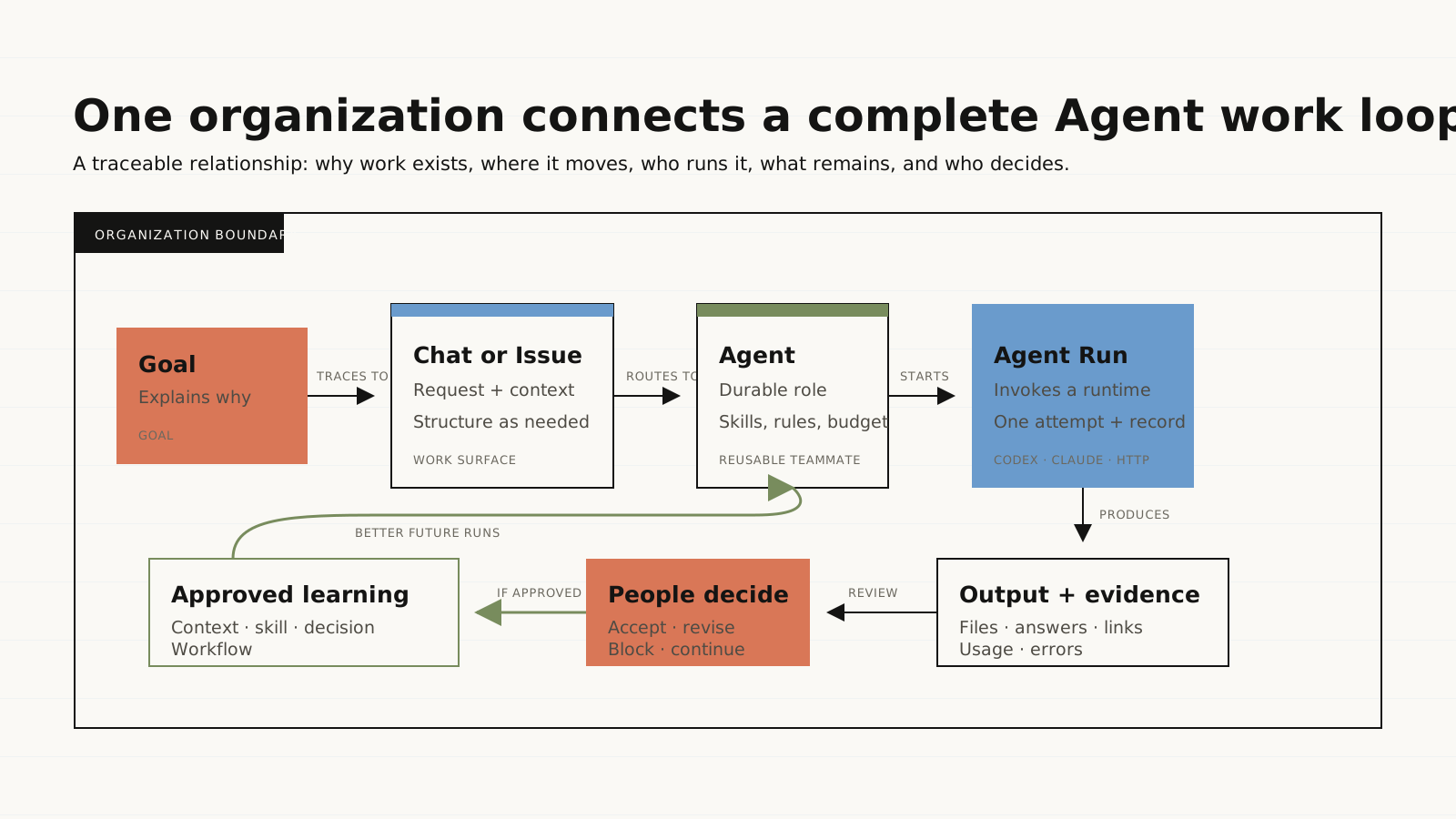
Add structure only when it helps
| When you need to… | Use |
|---|---|
| Continue one task through conversation | Chat |
| Track an owner, status, dependencies, or review | Issue |
| Group related tasks, conversations, files, and dates | Project |
| Reuse a proven procedure | Skill |
| Run a stable task on a schedule or trigger | Automation |
| Find questions, failures, and reviews waiting for you | Messenger |
| Keep durable files and project folders organized | Library and Workspaces |
What to read next
- Run your first task.
- Choose Chat or an Issue.
- Understand Agents and Runs.
- Use an Issue from start to finish.
- Review Agent work.
Previous: Run your first task
Get a useful result before exploring more features.
Next: Chat or Issue?
Pick the lightest way to organize a task.